Gander: A Free Dashboard for Watching Your Claude Code Agents
I run a lot of Claude Code sessions at once. One of them would sit waiting on a yes or no for forty minutes while I looked at a different window. Another would try a force push. I only found out by tabbing through terminals.
Gander fixes that. It is a local dashboard, fed by Claude Code's own hooks, that puts every session on one floor. Each session is a little goose that acts out what it is doing: typing, thinking, waiting on you, or done.
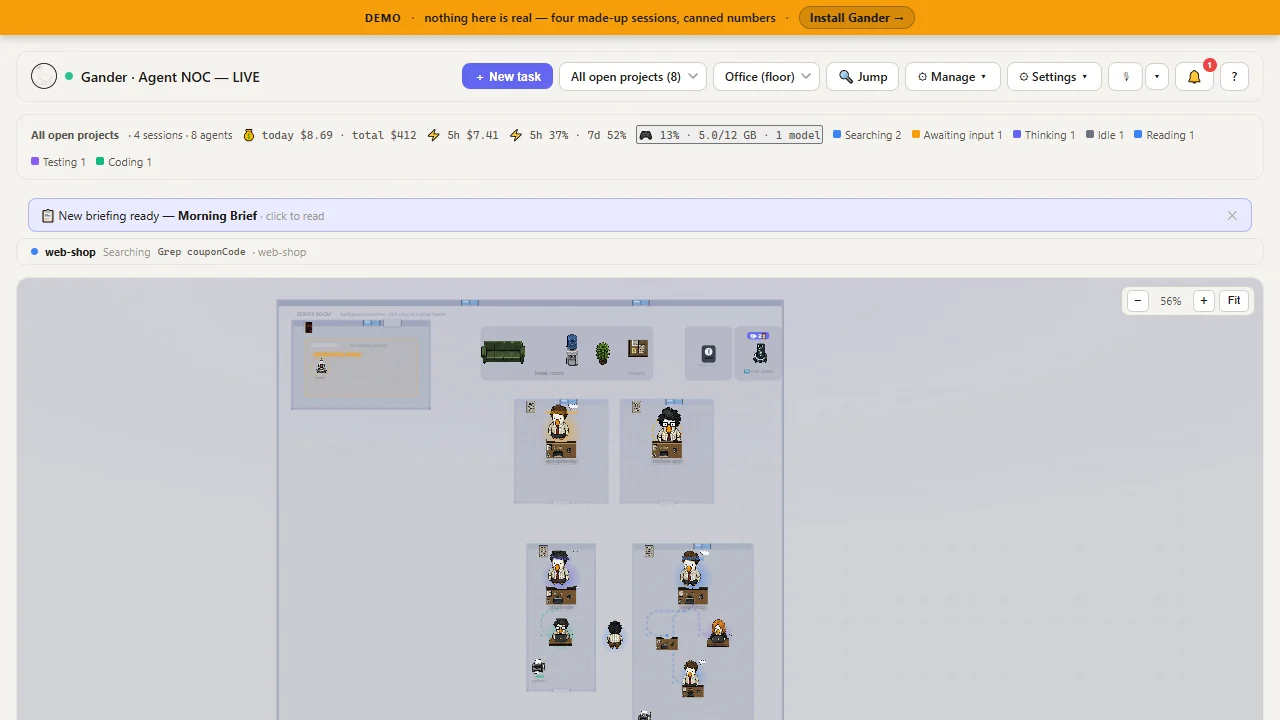
Try the live demoSource code on GitHub
The four things it is for
| Problem | What Gander does |
|---|---|
| A session is stuck waiting on me | A "needs you" list across all projects. Answer or Allow / Deny right there. |
| I am away from the desk | A phone page, plus Telegram or Slack alerts, so you can answer from the couch. |
| I do not know what this costs | Live spend per session and per project, runaway alerts, and budgets with a hard stop. |
| An agent is about to do something destructive | A danger guard holds commands like a force push or a hard reset until you click Allow once. |
More that is in there
- A warning when two sessions edit the same file at once.
- Quiet hours, with one summary card when you come back.
- What is filling the context window, not just how full it is.
- A task queue with test gates and review before merge.
- Session replay, so you can scrub back through what an agent did.
- What is using your graphics card, with a one-click unload for local models.
Install
In any Claude Code session:
/plugin marketplace add weellio/gander
/plugin install gander@gander
It is free, MIT licensed, and has no dependencies beyond Node. It runs on your own machine, and nothing leaves it unless you connect Telegram, Slack or claude.ai yourself.
If you only ever run one session and never leave the terminal, you may not need it. If you run several, try the demo. It is a static page with recorded sessions, so there is nothing to install.
Comments